Data Deletion
At Sixteen, we respect your privacy and give you full control over your data.
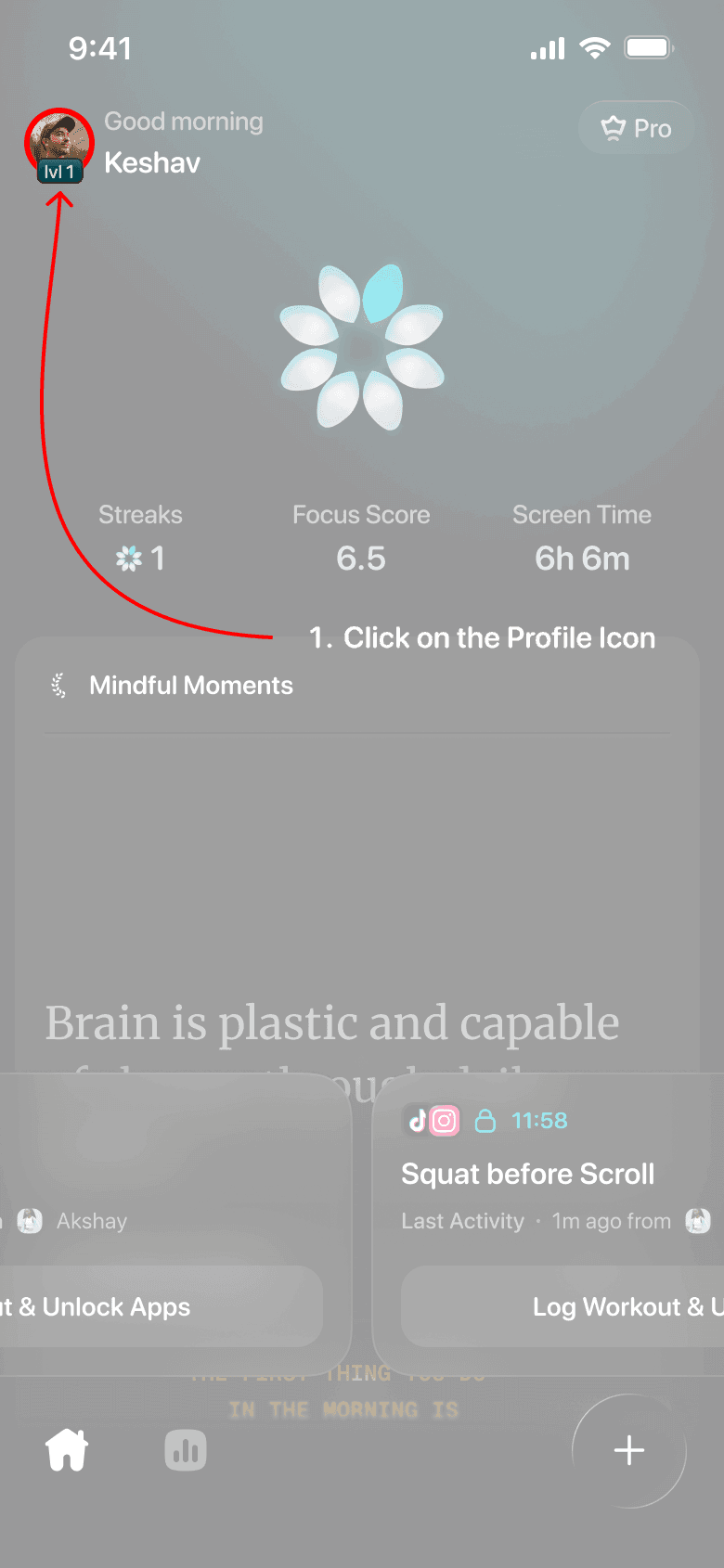
Step 1 — Open Profile
Tap the profile icon in the top-left corner of the home screen to open your account settings. This is where you can manage your personal details, subscriptions, and account preferences.
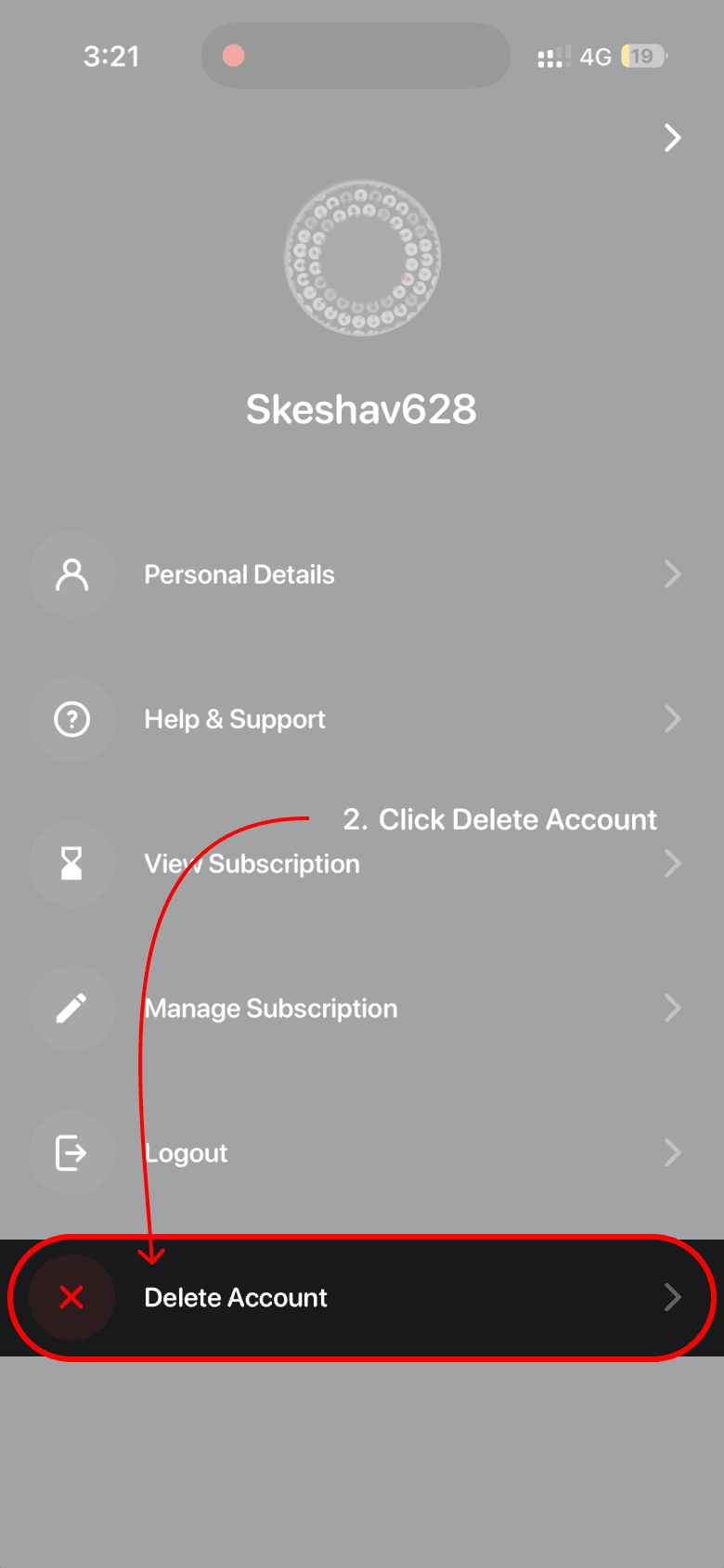
Step 2 — Select Delete Account
Scroll down in the Account Settings page and tap Delete Account. This option allows you to permanently remove your account and all associated data from Sixteen.
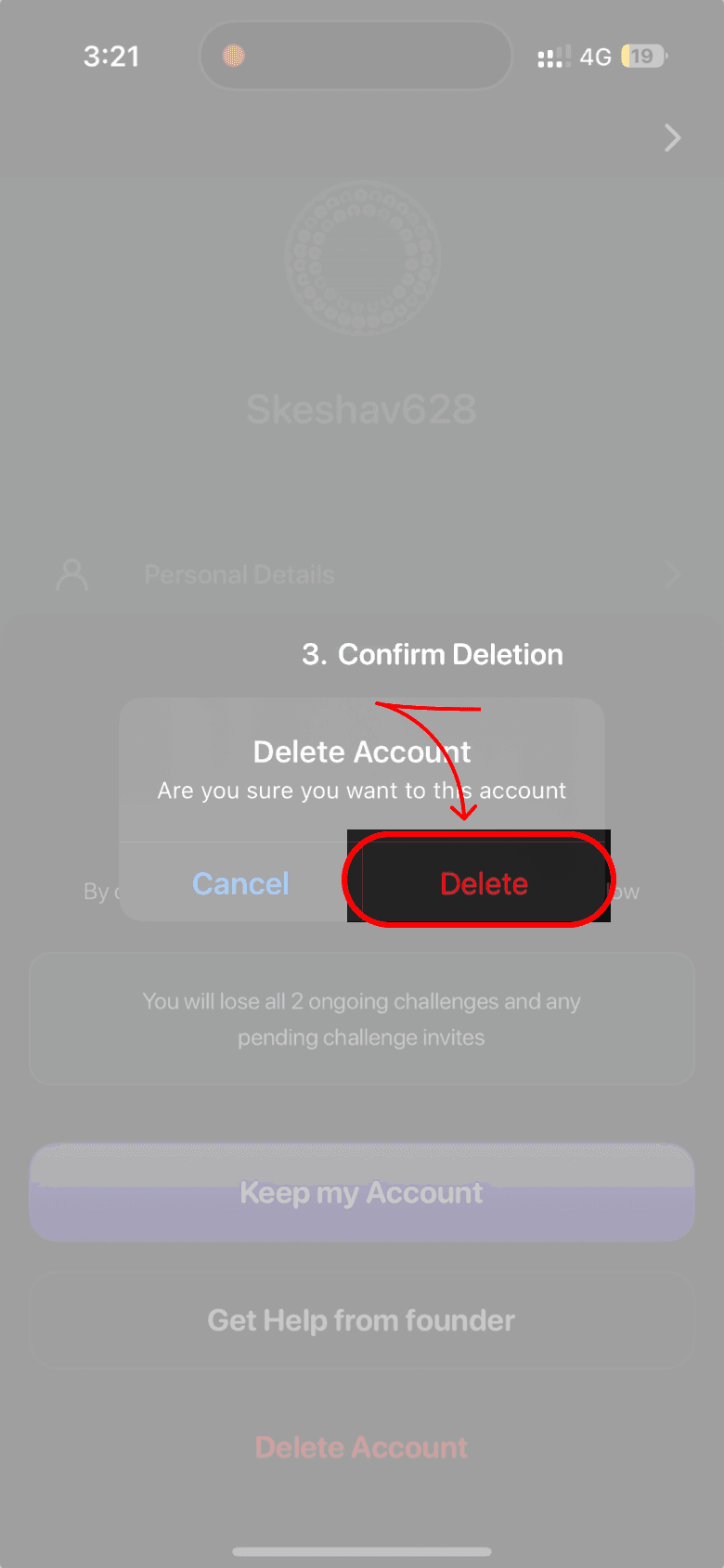
Step 3 — Confirm Deletion
A confirmation dialog will appear asking if you want to proceed. Tap Delete to confirm. This step ensures that account deletion is intentional and prevents accidental removal.
Step 4 — Account Deleted
Once confirmed, your account is permanently deleted and all associated data is removed from our systems. You will see a confirmation message indicating that the deletion was successful.



Sixteen is a simple productivity app and is not a bank. Gold services are provided by Augmont Gold; NABL and BIS accredite. Gold prices are subject to the market changes & this app is not liable to any gain or loss due to market.
The Apple and the Apple logo are trademarks of Apple Inc., registered in the U.S. and other countries. App Store is a service mark of Apple Inc., registered in the U.S. and other countries.
© 2023 Sixteen (Tropolin Labs Private Limited)